One button for the message
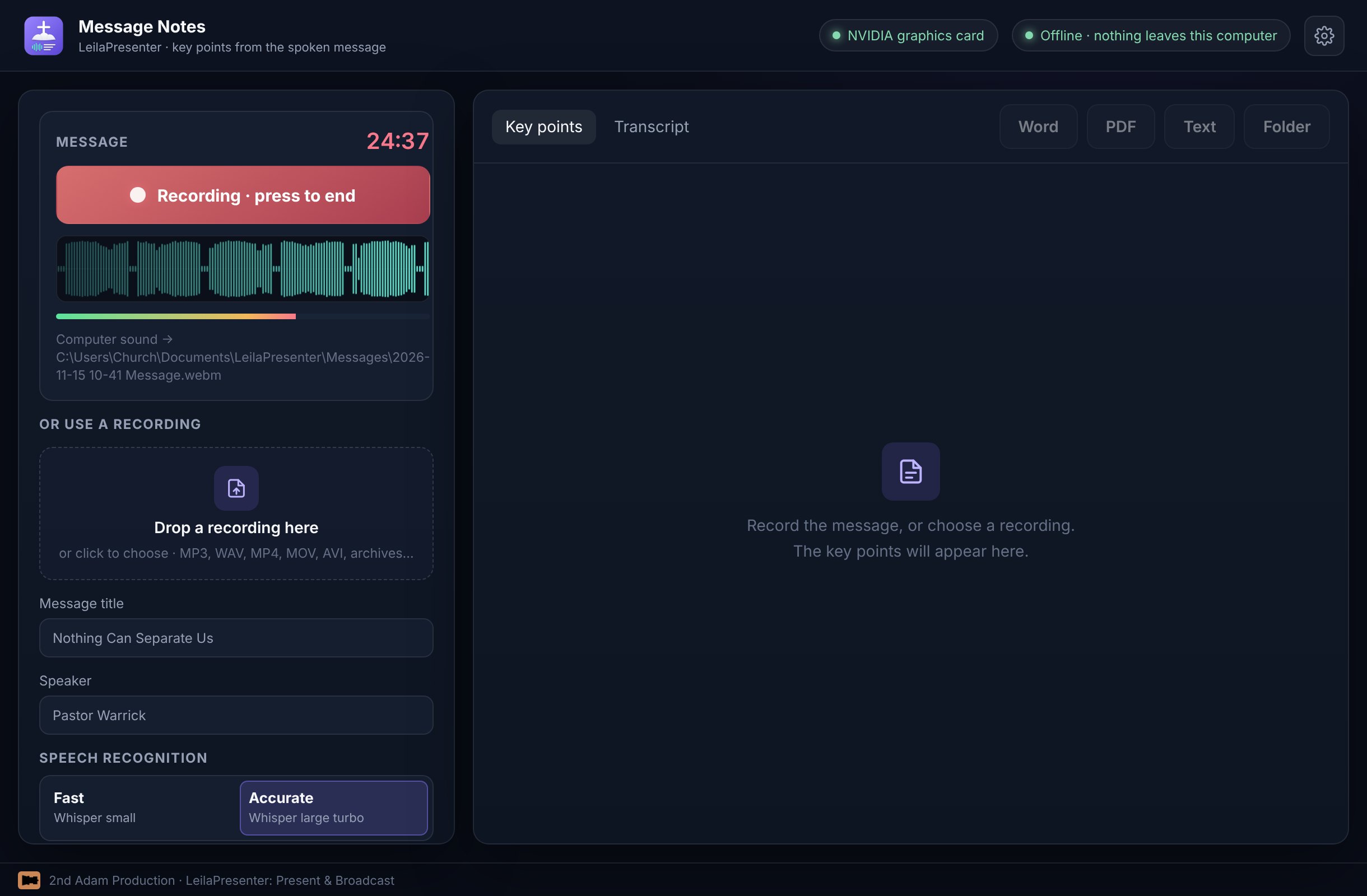
Press when the speaker begins and again when the message ends. The button flashes yellow while the recording is finished safely.
LeilaPresenter Message Notes turns the sermon, the feature speaker or the teaching into clear notes: a short summary, the main theme, the key points in the order they were made and every Scripture referenced — as Word, PDF and text. It all happens on your own church computer, 100% offline.
Message Notes 1.1.3 is a standalone program for any church, and is included with LeilaPresenter Studio and Studio Plus.
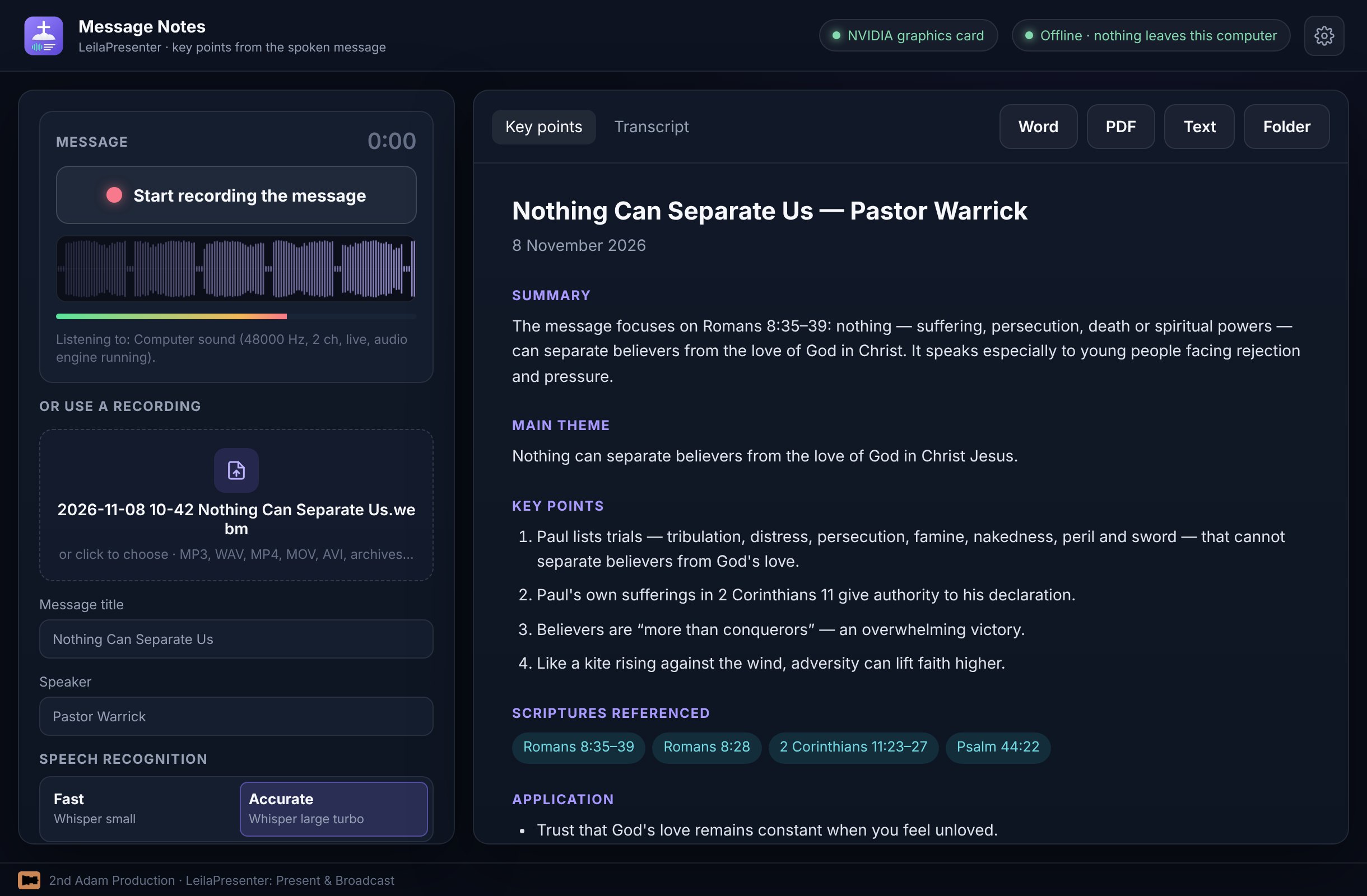
Most of a message is forgotten within days. Many churches want notes for members, for those who could not attend, for Bible-study groups and for social media, but have no one with the time to write them. Online transcription services cost money every month, in US dollars, and send the sermon to servers abroad. Message Notes does the work on the computer you already have.
Press when the speaker begins and again when the message ends. The button flashes yellow while the recording is finished safely.
Record the pulpit microphone, the sound desk's feed, or the computer's own sound — LeilaPresenter's Program sound, a livestream or a video. A live sound wave shows the source before you begin.
Drag in an audio or video file you already have: MP3, WAV, MP4, MOV, AVI and LeilaPresenter's own archives.
Summary, main theme, five to eight key points, every Scripture referenced and how listeners were urged to respond — plus the full transcript.
Spelling corrections teach it your pastor's name, your church and the places and words your congregation uses.
Recordings, transcripts and notes stay in your Messages folder. Nothing is uploaded, and no internet is needed after a one-time download.
Message Notes looks and works like the rest of the LeilaPresenter family, so your operators feel at home.
Check the sound wave, press when the speaker begins, press again when the message ends.
The speech is turned into text and the key points are written on your computer. Check names and references, as with any notes.
Open the notes in Word, save them as PDF or paste the text into WhatsApp, a newsletter or your website.
Windows 10 or 11 (64-bit), a 4-core processor from 2018 or newer, 8 GB of memory and 6 GB of free disk space. An NVIDIA graphics card makes it much faster, but is not needed.
| Tested on our own computers, 35-minute sermon | Notes ready in |
|---|---|
| Laptop, processor only (Dell Latitude 5400, Core i5, 2019) | about 30 minutes |
| Workstation with an NVIDIA GTX 1050 Ti graphics card | about 5 minutes |
Times depend on the computer and the length of the message. Internet is needed only once, for the download of the speech and summary engines (about 3 GB).
Only once, to download its speech and summary engines. After that it works with no internet at all, and no recording, transcript or note ever leaves your computer.
No. Message Notes is a standalone program for any church. It is included with LeilaPresenter Studio and Studio Plus, and it works beside LeilaPresenter Essential: record the Program sound while you present.
In our tests the notes followed the sermon closely and gathered its Scripture references. They are made by a computer, so every document says "Please check before sharing": read them and correct names, references and quotations before they go out. Spelling corrections fix the names it mishears, from then on.
A microphone or line input (the pulpit microphone or the sound desk's feed gives the cleanest notes), or the computer's own sound, such as LeilaPresenter's Program sound, a livestream or a video. You can also drag in an existing audio or video recording.
Yes. Ask the speaker's permission before recording and transcribing the message, and tell the congregation when notes will be shared.
No. There is no subscription and no charge per message: everything runs on your own computer. Contact us for pricing.
Request a 14-day trial below. You receive the installer and a trial key by e-mail; Message Notes shows a Computer ID, which you send back to receive your activation code.
Windows shows it for new programs it does not yet recognise. Choose More info, then Run anyway. The installer comes only from 2nd Adam Production by e-mail.
Message Notes joins Essential, Portable, Portable Recorder, Studio and Studio Plus. Explore the editions →
Request a 14-day trial and tell us about your church computer and how you would like to use the notes.