Build the Agenda your church needs
Add custom text, Bible verses, songs, hymns, PowerPoint, PDF, graphics, video, audio and web pages in service order.
- Search Bible books as you type
- Import existing worship material
- Reuse songs and styles next week
Bring Scripture, songs, sermons, notices and media together. Essential, Portable and Portable Recorder can present a complete service 100% offline—no internet needed.
Version 1.0.4: Essential, Portable and Portable Recorder are available for 14-day trials, and you can learn free first in training mode. Studio is now with test churches; Studio Plus is coming soon.
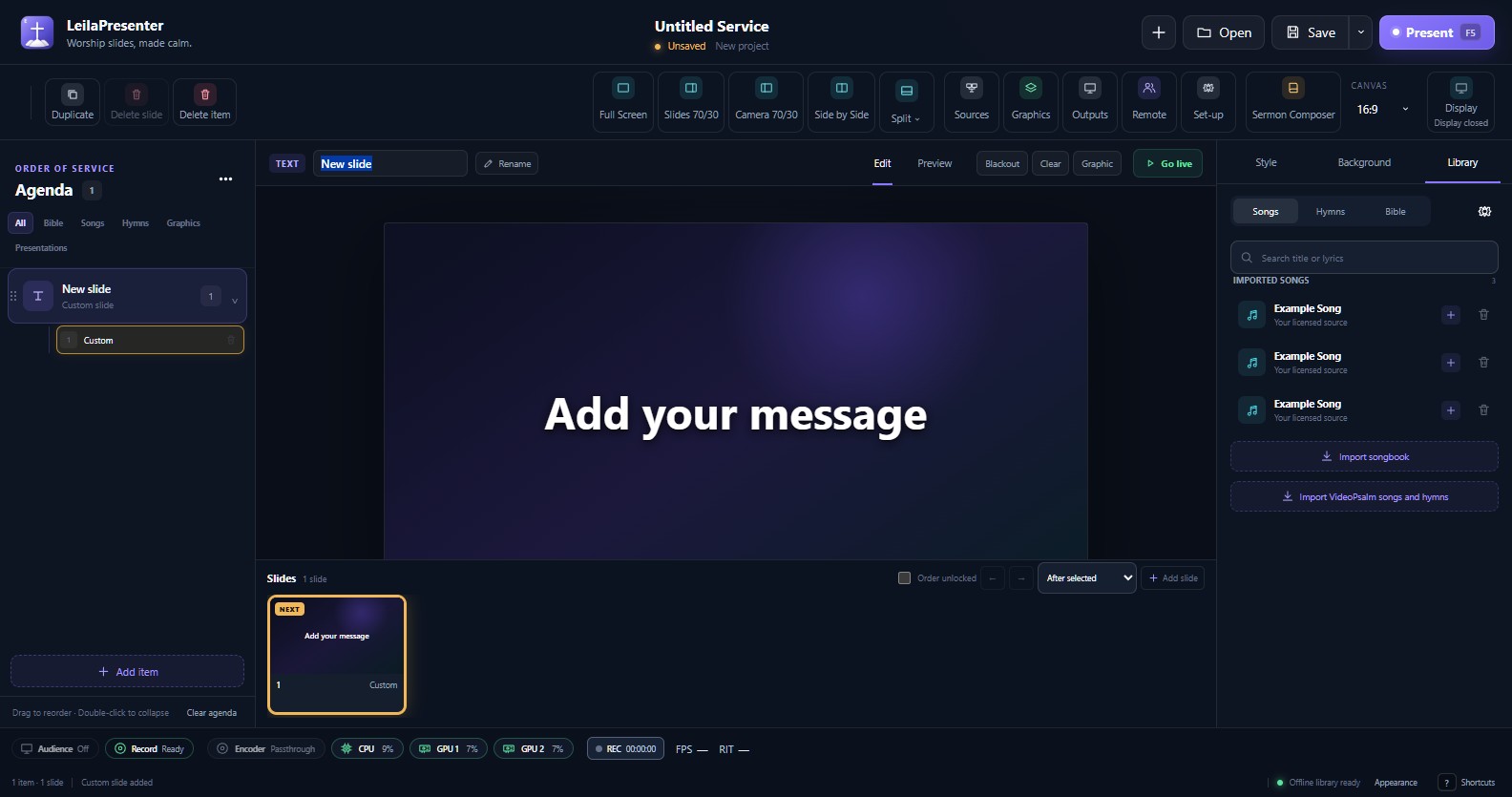
LeilaPresenter brings the service into one calm workflow, supports the people on the platform and keeps the church ready when plans—or the internet connection—change.
Add custom text, Bible verses, songs, hymns, PowerPoint, PDF, graphics, video, audio and web pages in service order.
Sermon Composer connects the pastor’s outline, Scripture cues, media and private Stage notes without showing those notes to the congregation.
Bring in PowerPoint presentations, PDFs, pictures, video and audio without needing PowerPoint, OpenOffice or LibreOffice on the presentation computer.
The private Stage Screen shows what is live, what comes next, the Agenda position, clock, timer and pastor’s notes—never on the congregation screen.
Essential, Portable and Portable Recorder can use saved slides, installed Bibles, songs, pictures, video, audio and other local media 100% offline.
Internet is needed only when the church chooses an online feature such as a web page or internet streaming.
Move quickly between Full Screen, Slides 70/30, Camera 70/30, Side by Side and Split layouts. LIVE and NEXT markers, a before-service checklist and recovery saves help the operator stay ready.
Prepare the service, follow the agenda and send a polished programme to the audience without jumping between disconnected tools.
The Agenda, editor, slide canvas, libraries and live controls stay together. Prepare during the week, then present the complete saved service without internet.
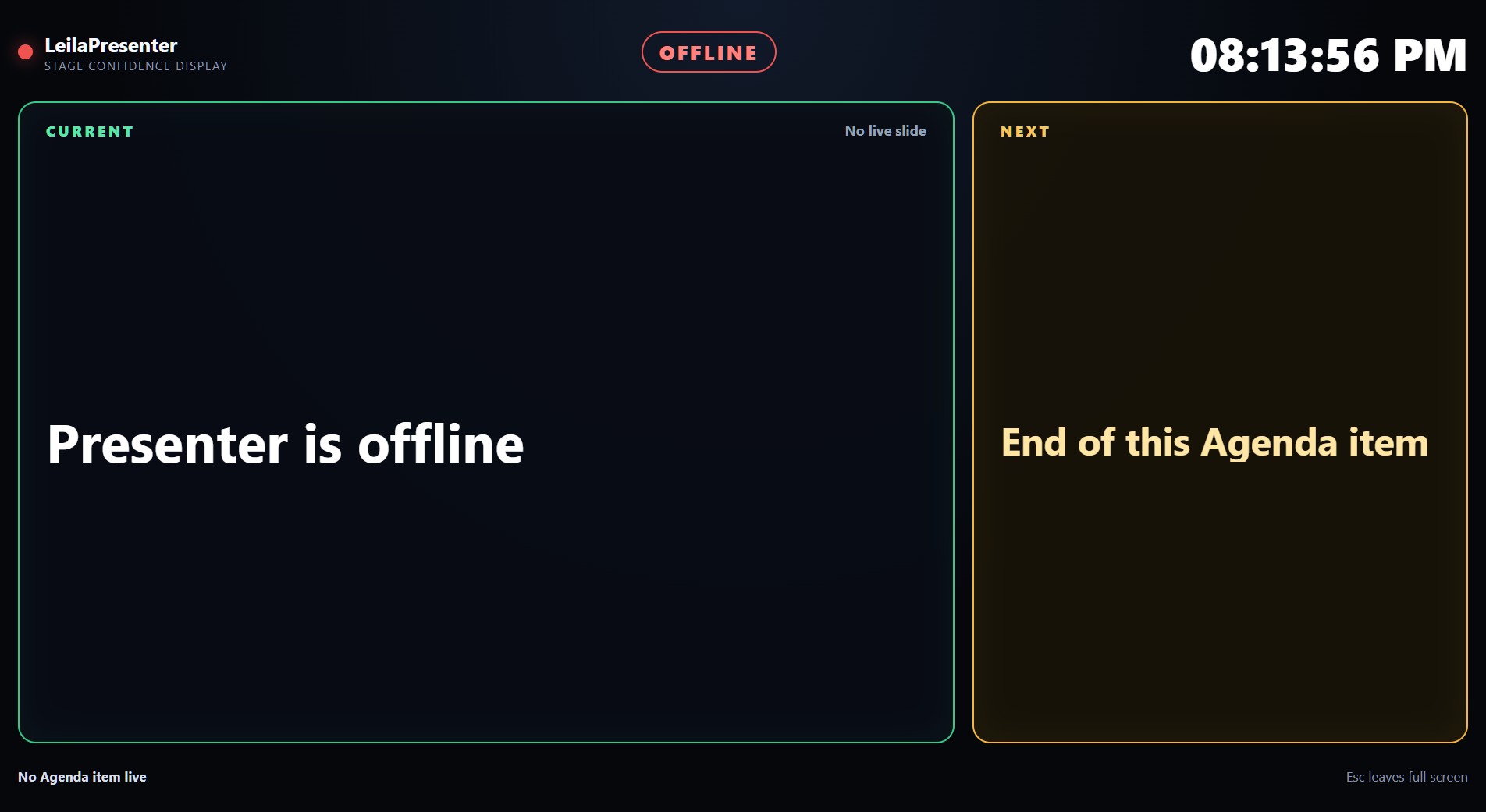
The private Stage Screen keeps the platform informed while the congregation sees only the presentation.
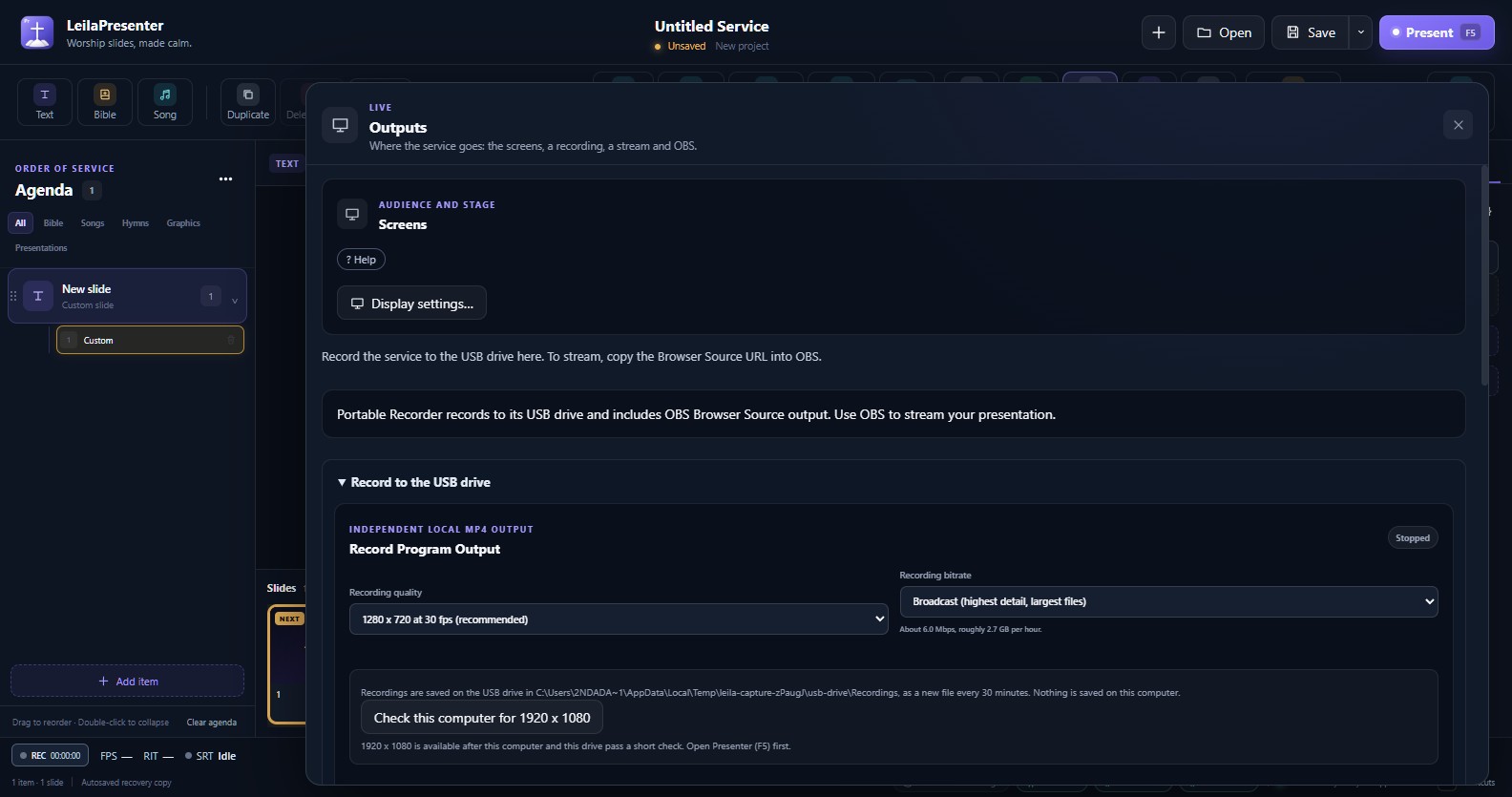
Take the offline presentation workflow with you and make protected recordings directly to the licensed drive.
LeilaPresenter Media Engine: our own tuned build of FFmpeg, with smart encoder choice and built-in quality checks.
LeilaPresenter can be driven from approved devices on the same trusted local network, while dedicated button panels give the operator fast, repeatable control.
Move through the service, control the audience display and handle common live actions from a trusted phone or tablet.
Give the operator one-touch buttons for approved slide, layout, media and production actions.
Use approved controls and see useful live status from a familiar production panel.
Local-network controls are protected by an access code when used from another device. Keep them on a trusted private network; they are not intended for public Wi-Fi or internet port forwarding.
LeilaPresenter supports the weekly rhythm of worship, preaching, teaching and outreach without requiring a large production team.
Coordinate Scripture, songs, notices and preaching from one Agenda. Essential and both Portable editions can present the complete prepared service without internet.
Bring it to your churchCarry a repeatable service workflow between sanctuaries, tents and community venues, including places where connectivity is limited.
Keep the teacher, Scripture and lesson visible together for training, seminars, youth ministry and Bible study.
Bring worship, speakers, testimonies, media and programme information into one familiar church presentation workflow.
Studio is a separate, full church-production addition to the LeilaPresenter family. Prepare the service, present it to the room and produce the broadcast from one familiar place.
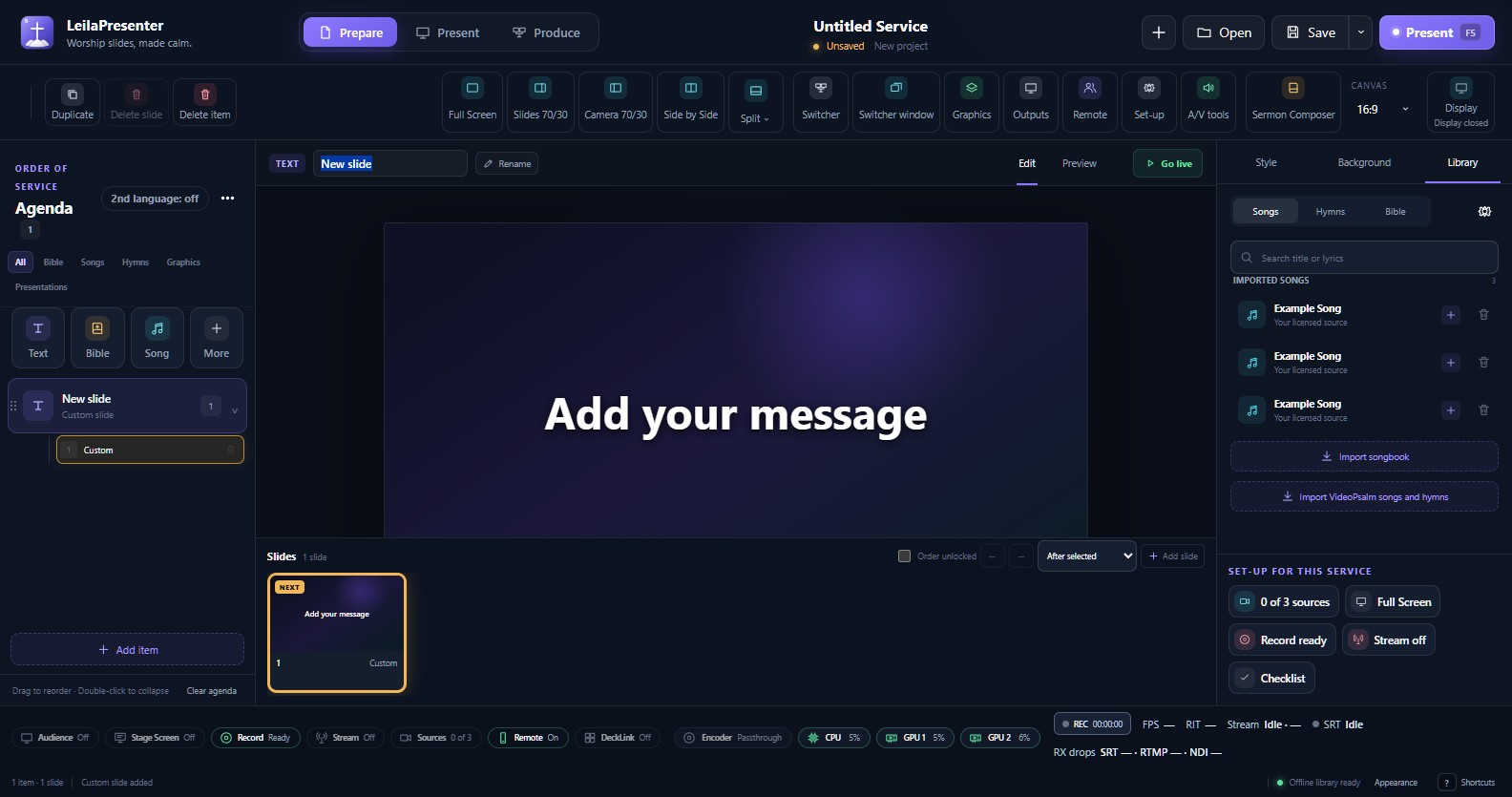
Arrange Scripture, worship, sermons, notices and media before Sunday, including bilingual Scripture presentation.
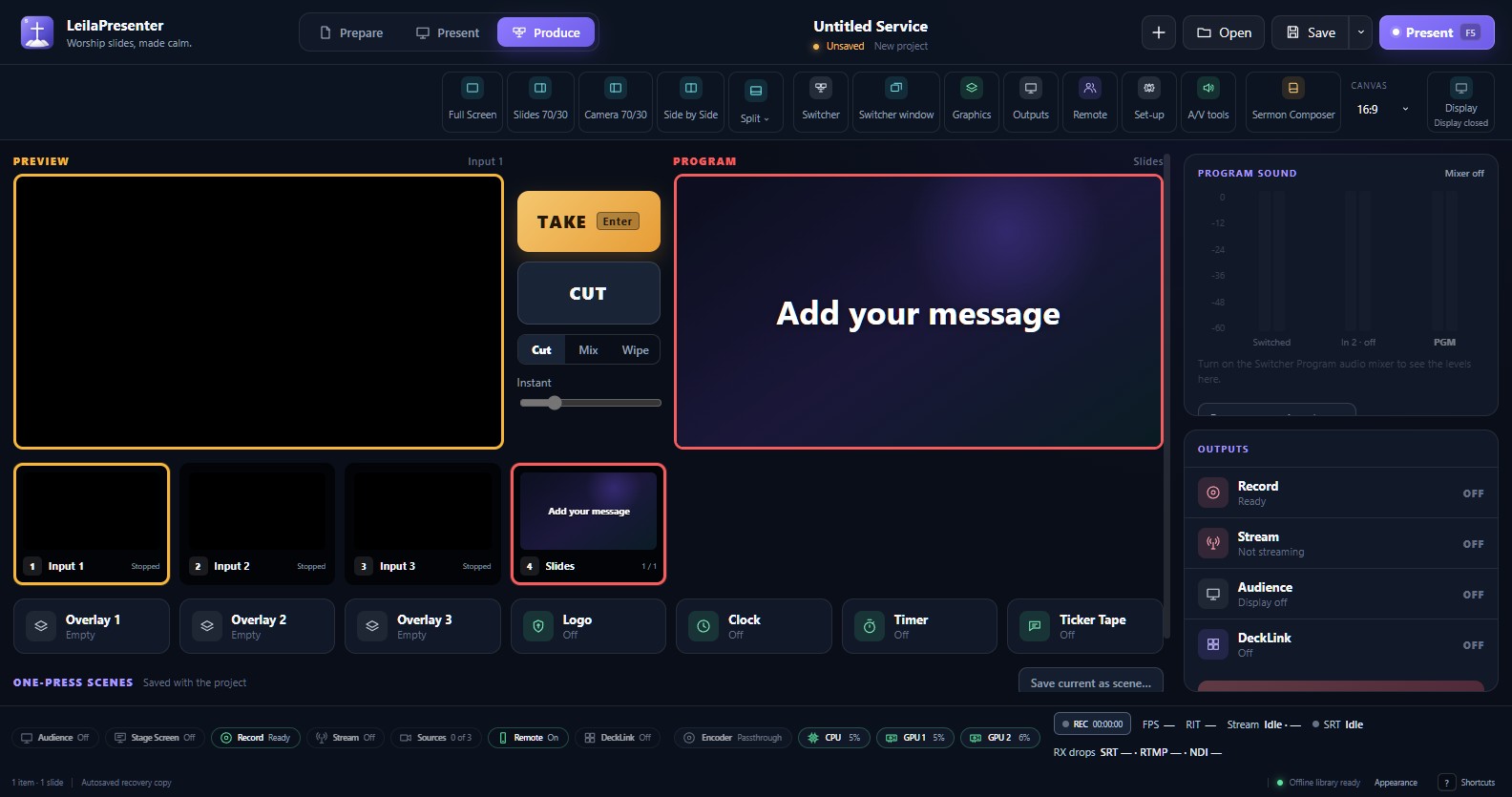
Preview slides, cameras and media, then move them on screen with a cut, dissolve or wipe.
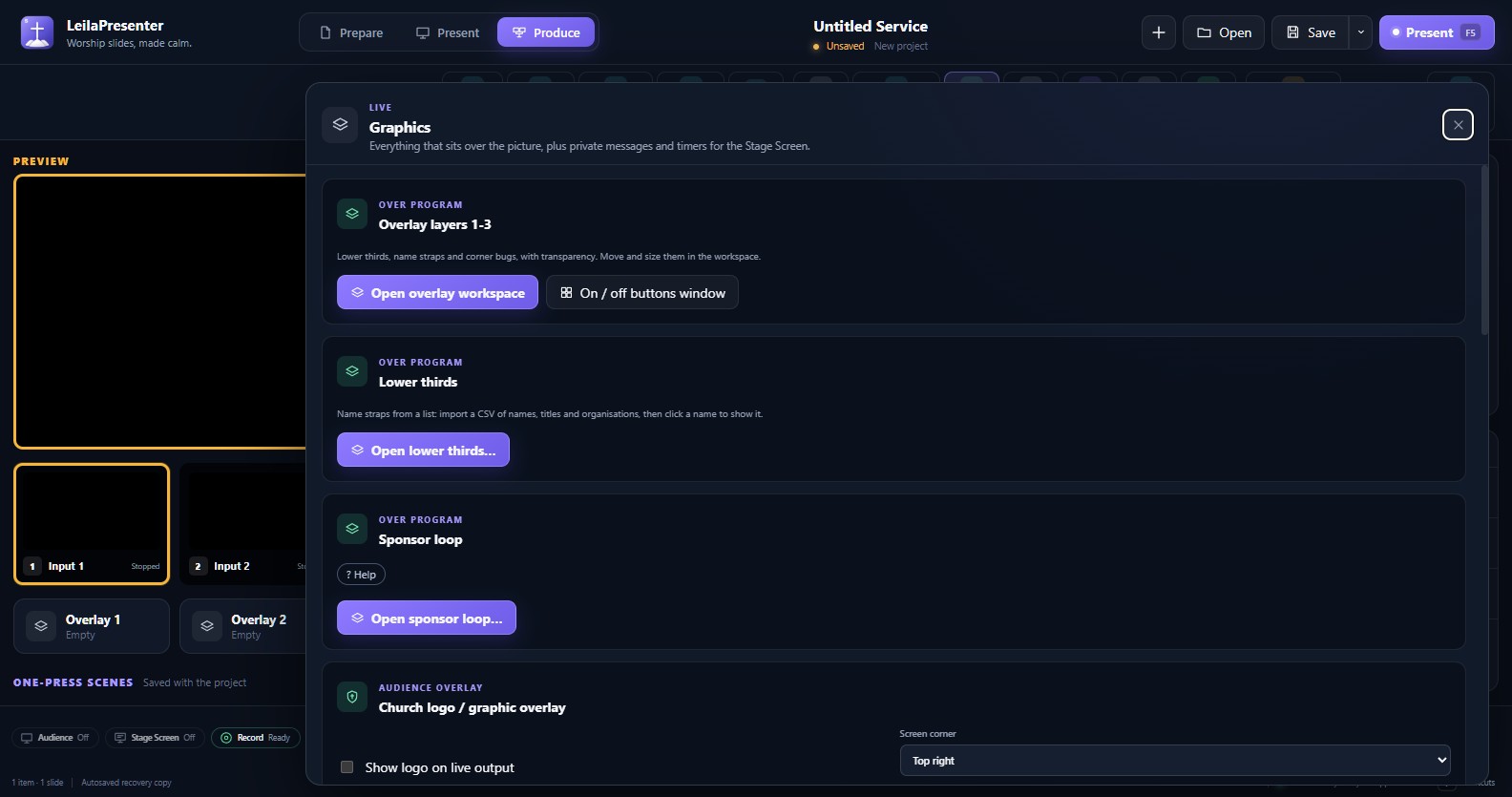
Add lower thirds, church logos, service notices, Scripture references, clocks, timers and moving text.
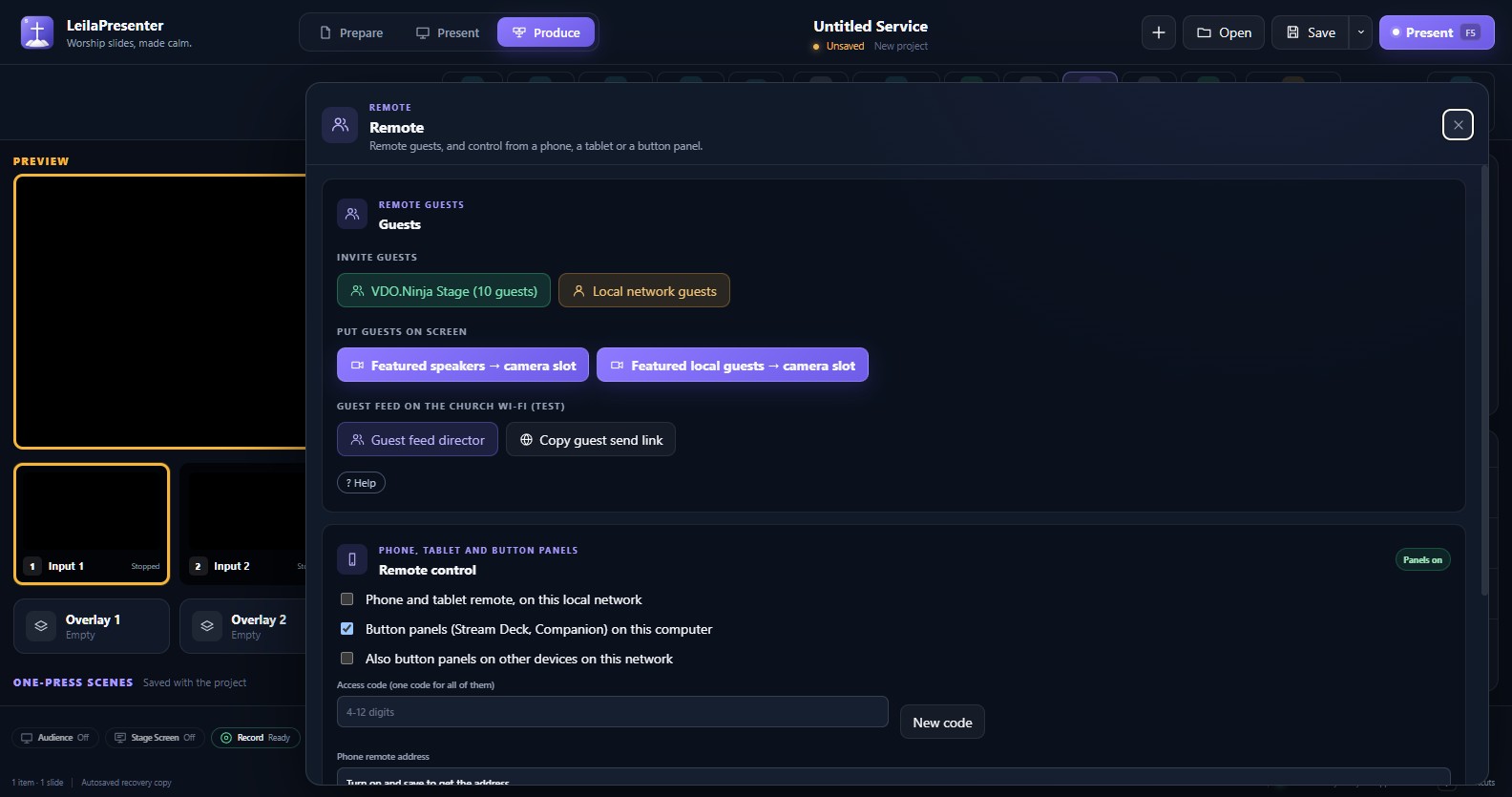
Bring in remote participants, connect local ministry teams and keep the whole production together.
Studio is with selected test churches; ask to join. Studio Plus, for concerts and conventions (8 video inputs, a separate recording of every camera and 2 playback channels), is coming soon. NDI and VDO.Ninja are independent technologies and services with their own requirements and terms.
Essential, Portable and Portable Recorder 1.0.4 are available for 14-day trials. Studio, the full-production edition, is with test churches.
Swipe or scroll to compare all editions
 14-DAY TRIAL AVAILABLE
A complete installed Windows presentation edition that can run the prepared service 100% offline and record it locally.
Request Essential trialChurches that need dependable offline presentation, private Stage support and straightforward local recording.
Choose Essential for an installed presentation system with local recording. Use OBS when you want to stream.
| Capability | Essential | Portable | Portable Recorder | Studio In testing |
|---|---|---|---|---|
| How you use it | Installed on a Windows computer | Carried on a licensed USB drive | Carried on its own licensed USB drive | Installed on a production computer |
| Best for | Churches with one presentation computer | Travelling pastors and ministries | Travelling ministries that need recording | Churches producing complete live broadcasts |
| Presentation tools | Included | Included | Included | Included |
| Complete offline service | Yes | Yes | Yes | Local presentation works offline; online features need internet |
| English and second-language Scripture on separate displays | — | — | — | Included |
| Camera and media | One camera/USB input, plus media files | One camera/USB input, plus media files | One camera/USB input, plus media files | Slides plus three chosen live sources |
| Recording | Included | Through OBS | Included | Included |
| Streaming | Through OBS | Through OBS | Through OBS | Direct, inside Studio |
| Remote and button control | Included | Included | Included | Included |
| NDI | Program output | — | — | Cameras and outputs |
| Voice noise reduction | Included | — | — | Included |
| Free training mode (no key) | Included | — | — | Included |
| Import from FreeWorship and SongShow Plus | Included | Included | Included | Included |
| Availability | 14-day trial | 14-day trial | 14-day trial | With test churches |
LeilaPresenter began in our own small congregation. We could not afford a yearly subscription, US dollars are hard to find locally, and our ten-year-old presentation program could no longer meet the needs of our services. So we built our own.
It gives small and growing churches a capable presentation and broadcast system that respects the equipment, connectivity and volunteers they already have. It is now in the hands of test churches in Trinidad and the USA.
From a Sunday sanctuary to an evangelistic meeting under a tent, the aim is the same: prepare clearly, serve the room well and help the message travel farther.
Save a project to an internal drive, removable drive or USB drive. Recovery autosave and a previous-save backup protect the project; linked video files remain separate and should travel with it.
Clear indicators help the operator follow recording, playback and streaming progress without interrupting the service.
LeilaPresenter is designed with existing Windows computers in mind. Rehearse the complete programme on the computer and displays you will use at the event.
Use matching camera, media and recording settings where practical. The manual explains the recommended choices for different events.
No. Essential, Portable and Portable Recorder can prepare and present a complete service 100% offline using installed Bibles and saved songs, slides, pictures, video, audio and other local media. Internet is needed only when you choose online content, internet guests or streaming.
Yes. Modern PowerPoint presentations can be brought in without installing PowerPoint or another office application. The imported slides keep their visual design, but PowerPoint animations and embedded media do not carry across.
Yes. Essential can record the audience presentation and send presentation layouts to OBS. Studio’s built-in switching and direct streaming are separate, coming-soon features.
Portable carries the presentation tools on its licensed USB drive. Portable Recorder is a separate product that also records the programme to its drive and includes extra protection for longer recordings.
Test cameras, displays, imported slides, video playback and streaming on the computer you will use. Performance depends on the host computer and media. Keep referenced media with the project when moving between computers.
Version 1.0.4 of Essential, Portable and Portable Recorder is available for 14-day trials. Studio is with selected test churches, and Studio Plus is coming soon; register your interest for release information.
Training mode lets your team learn LeilaPresenter and build services free, with no key, on as many computers as you like. In the Activate window choose Use training mode. Present (F5) shows a small preview marked TRAINING, and recording, streaming and outputs stay off until you activate. It is in Essential and Studio; Portable editions use the 14-day trial.
Yes. LeilaPresenter imports songs from FreeWorship, EasyWorship, ProPresenter, OpenLyrics and OpenSong, whole FreeWorship orders of service, and SongShow Plus programs (the songs are matched from your library by title).
Studio receives NDI and NDI HX cameras, lines up their sound and picture automatically, and sends NDI outputs. Essential sends its Program picture out over NDI to a vision mixer or OBS. The Portable editions do not use NDI. NDI needs NDI Tools on the computer; wired Ethernet is recommended.
Yes. Voice noise reduction in Essential and Studio takes steady noise such as fans and air conditioning out of speech as it happens, with a slider for how much (65% suits a headset microphone). It is made for speech, so leave it off for a band or choir.
Approved phones and tablets on the same trusted local network can move through the service, send slides live and use the presentation actions available in that edition. Up to eight controllers can connect.
No. Their control interface sends approved live commands and reports status. It cannot edit content, open or save projects, or change settings.
Its settings, licence, songs and saved Bible material stay with LeilaPresenter on the USB drive. Keep each project with its pictures and video, and maintain a backup.
Studio is planned to show English Scripture on one audience display while the same passage appears in a second language on another display at the same time.
It gives the pastor or presenter current and next text, Agenda position, clock, timer, live status and private Sermon Composer notes on a separate confidence display. It never appears on the congregation output.
LeilaPresenter Message Notes is a new member of the family: it records the sermon or teaching and writes the summary, key points and Scriptures referenced as Word, PDF and text, 100% offline. It is a standalone program for any church and is included with Studio and Studio Plus. Learn more.
No. Internet-based services connect only when you choose to use those features.
Request a 14-day trial and tell us about your church computer and service workflow so we can help you choose the right edition.